
Schedule, customer and a free slot in one view.
Create an appointment with the customer, see its context in the schedule and give the team a signal when a gap or risk appears. No switching between tools.
From choosing a slot to the next appointment
Start with what slows you down the most today. Add more areas once the first one already works for you.
- 01
Choose service, customer and team member without leaving the schedule
- 02
The appointment connects to the customer history right away
- 03
Asystio shows occupancy, gaps and signals to act on
- 04
The team responds from the same calendar
Calendar and bookings
See what happens between a free slot and the next appointment.
The calendar does not end with entering a time. It connects the appointment with the customer and shows the team where to act.
From a new appointment to a schedule that shows the next move.
Six screens show the same workflow from the reception, team and business-owner perspective.
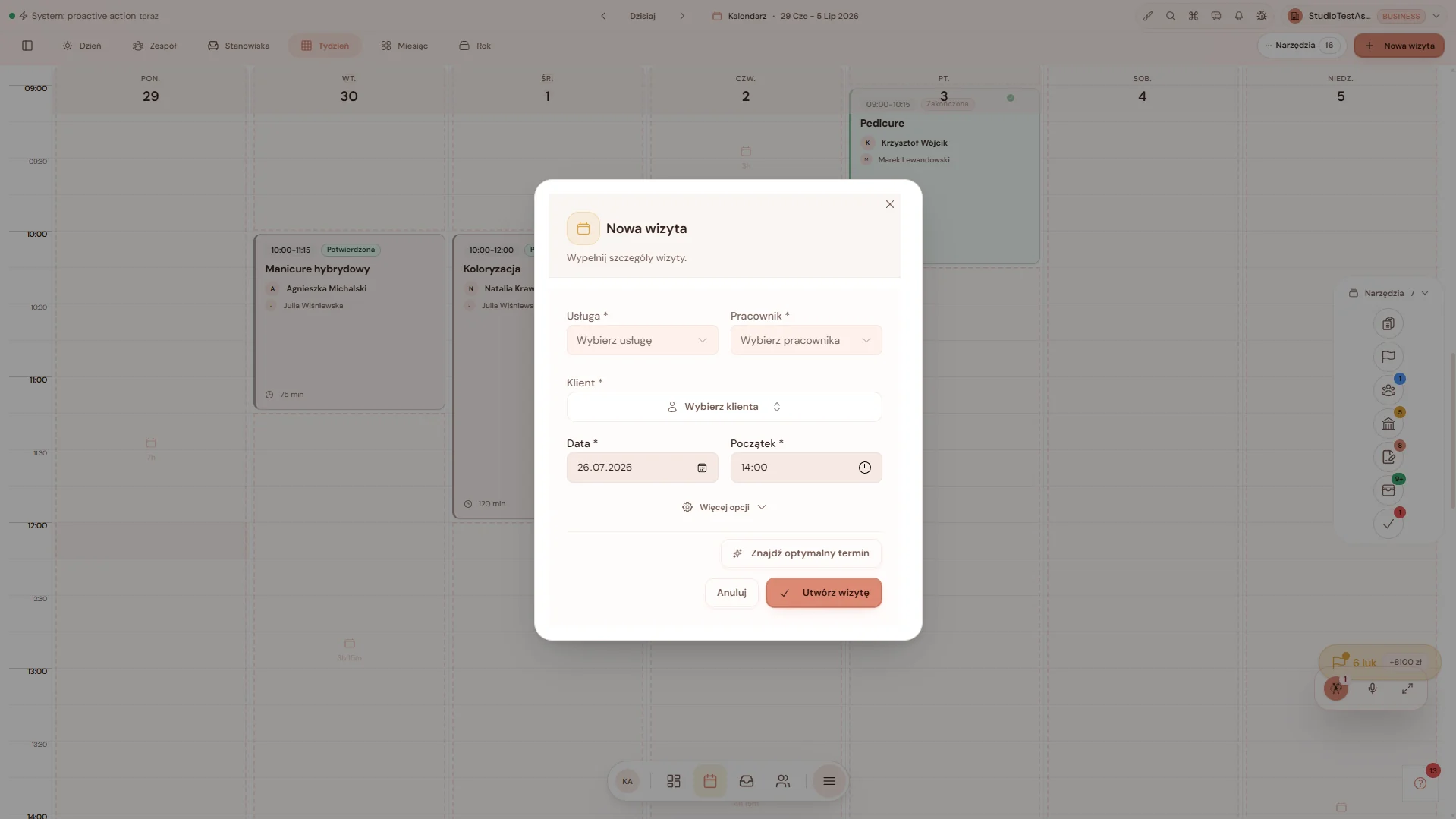
An appointment without leaving the schedule
Choose the service, team member, customer and time in one short form. More options open only when they are needed.
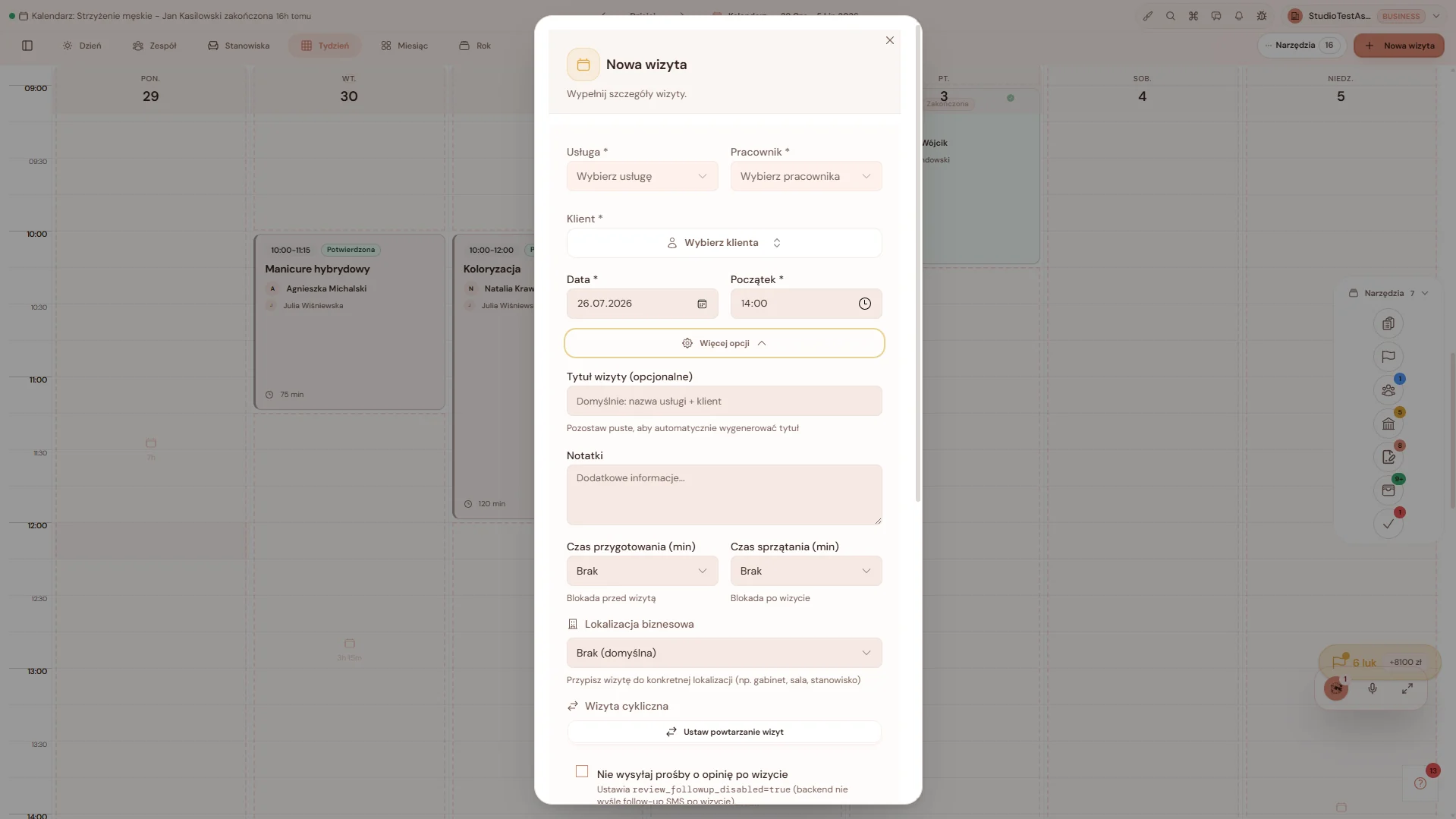
Details only when you need them
Preparation time, location, recurrence, notes and post-visit rules expand without turning a simple booking into a long process.
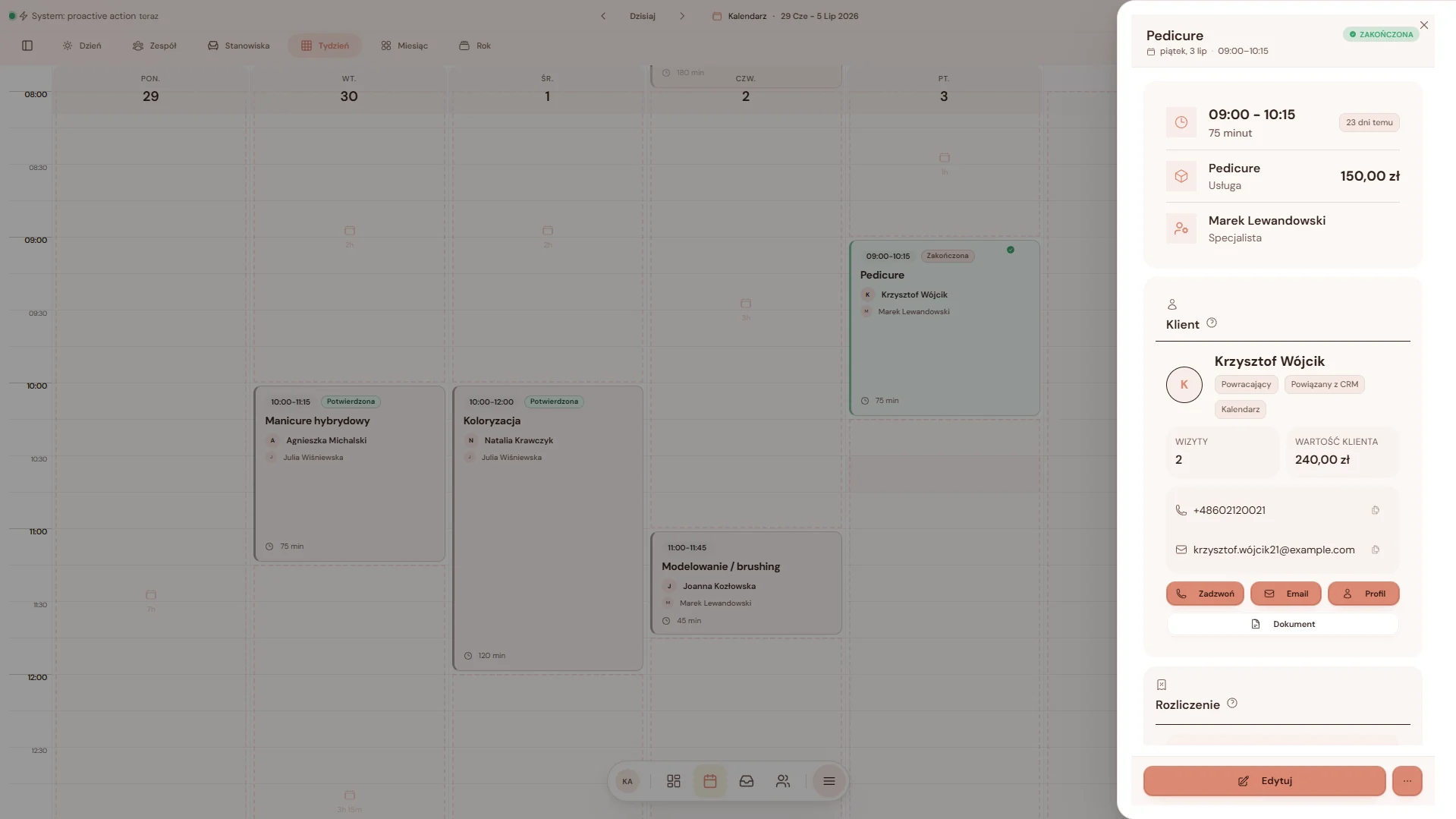
An appointment keeps customer context
The appointment shows service, specialist, customer history and quick actions. There is no need to switch between calendar and CRM.
History is close before the next decision
Visits, spend and customer information help the team prepare the right contact and the next service.
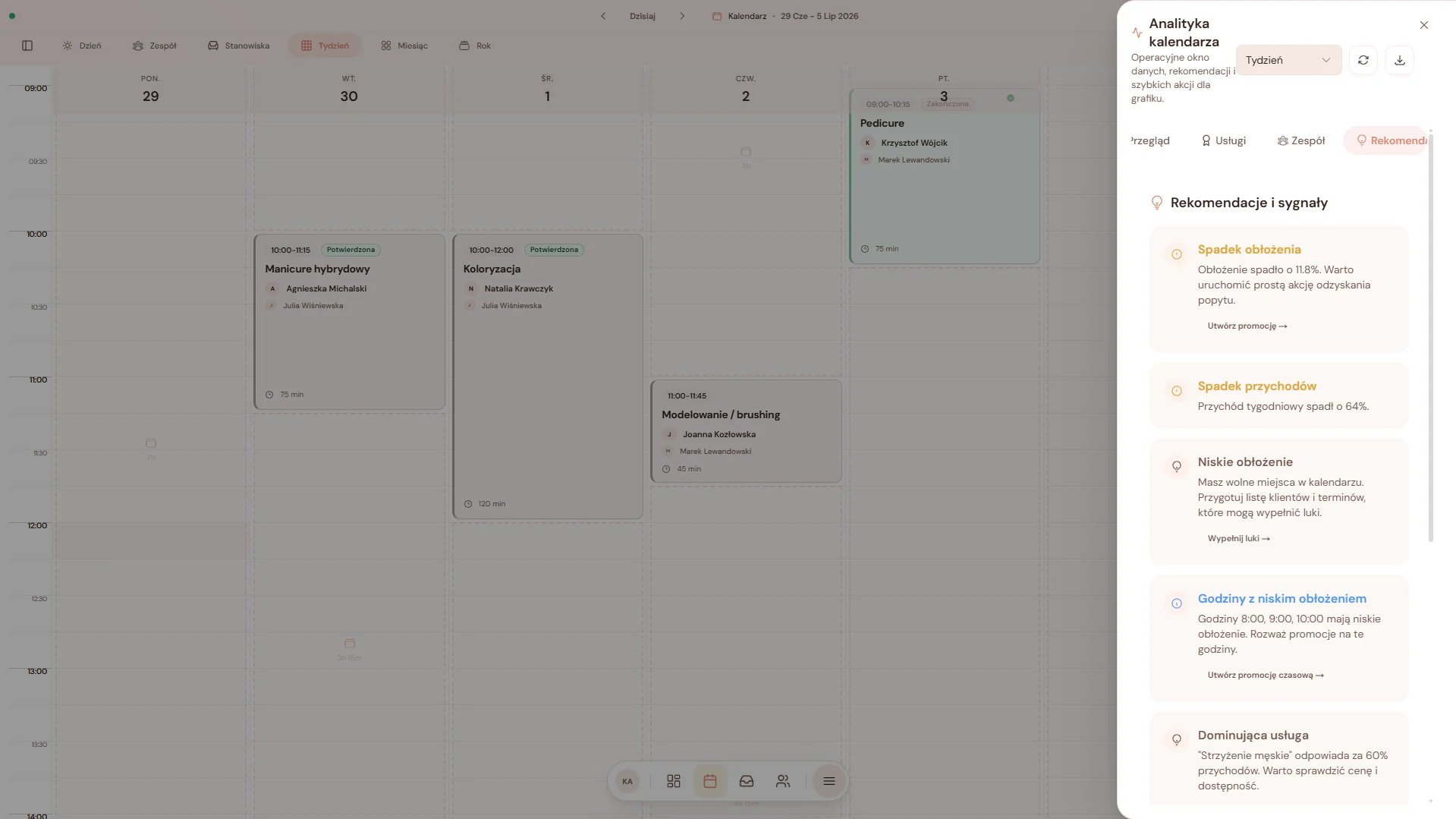
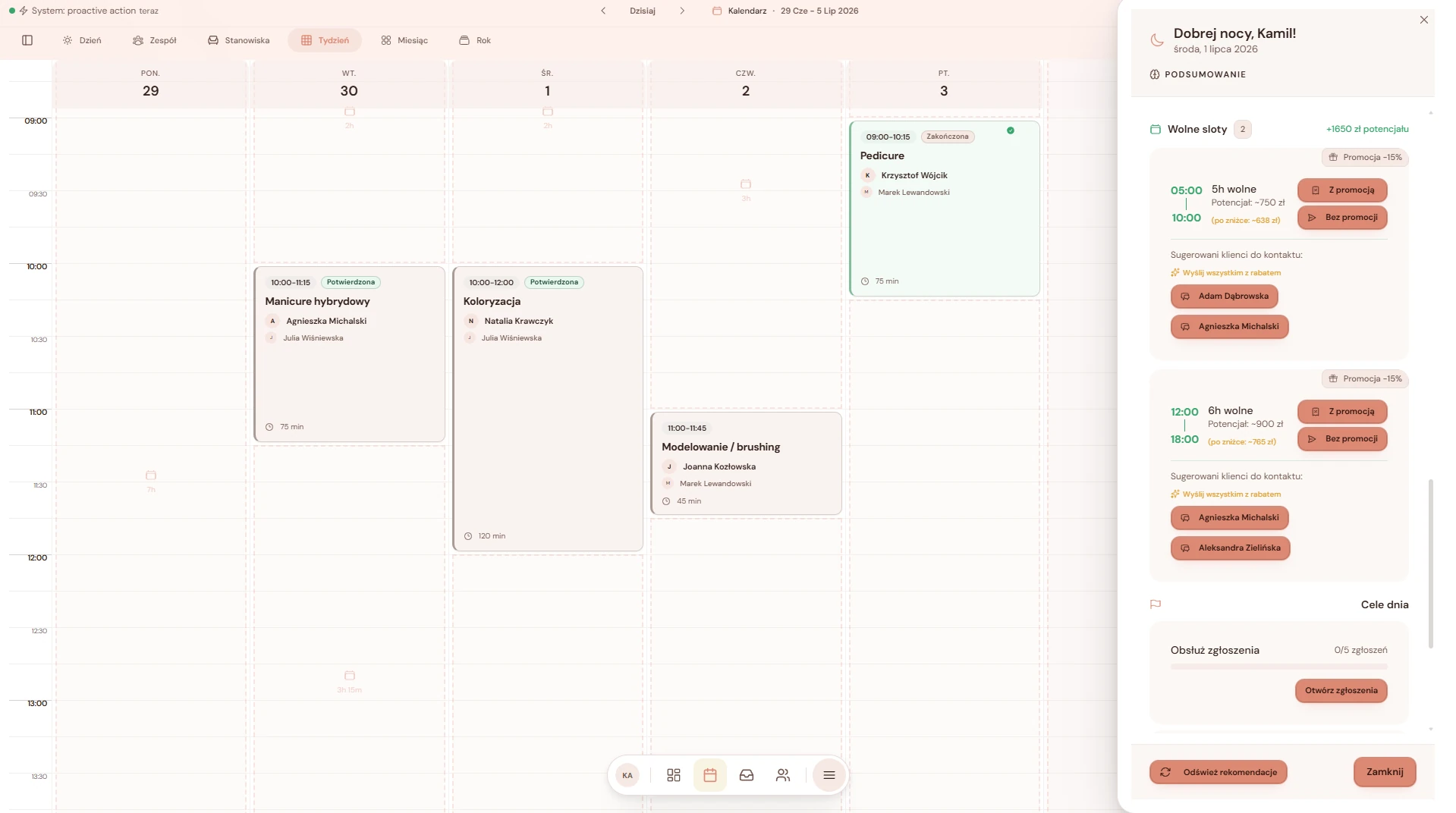
See where the schedule needs action
The calendar highlights lower occupancy, weaker hours and possible actions before empty slots become a problem.
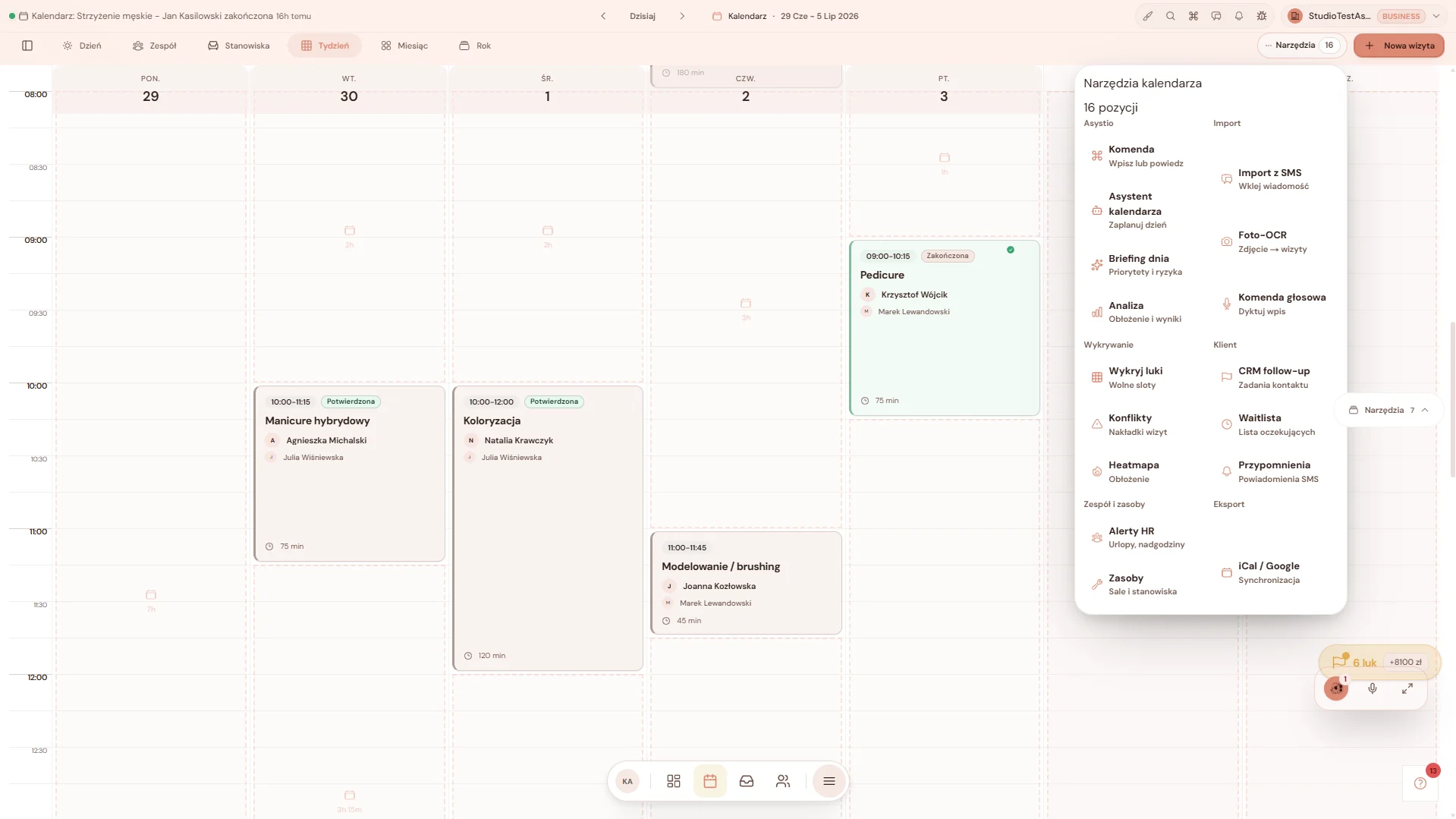
Tools stay with the schedule
Gap detection, conflicts, waitlists, reminders and synchronisation are available where the team actually plans the day.
Screen 1 of 6
What leaks today and what it costs you
Klienci odwołują w ostatniej chwili albo nie przychodzą
It costs you: Pusty fotel to godzina, za którą nikt Ci nie zapłacił.
Przypomnienia SMS i e-mail docierają na czas, więc mniej osób zapomina o wizycie.
Wolne okienka w grafiku przepadają
It costs you: Czas pracy ucieka, bo nikt nie widzi szybko, gdzie jest luka.
Widok grafiku i podpowiedzi Asystio pokazują dziury, zanim zrobi się za późno.
Klient czeka na potwierdzenie terminu
It costs you: Wiadomość ginie, a klient idzie tam, gdzie odpisali szybciej.
Kalendarz jest połączony z rozmowami, więc termin szybko zamienia się w wizytę.
Asystio shows where the schedule needs a decision
It sees occupancy, highlights weaker hours and suggests where to start. What goes into the schedule is up to you.
- Detects hours with low occupancy
- Highlights revenue drops and possible responses
- Detects schedule conflicts on its own
- Suggests free slots for the customer
- Helps plan the team work schedule
Most often connected with calendar
You do not have to roll out everything at once. Start with one area and add the rest when the business is ready.
If your schedule lives in a phone and your head, start with bookings.
It is a quick way to stop separating customer, appointment and team availability.