
Company work starts with the right view.
Set up your own dashboard: widgets, shortcuts, logo, wallpaper and density. The team sees what it needs for today’s work.
From a signal to the right action
Start with what slows you down the most today. Add more areas once the first one already works for you.
- 01
The company chooses widgets that matter in day-to-day work
- 02
The owner sets the layout, appearance and shortcuts
- 03
Each role starts with the information needed that day
- 04
From the dashboard, go straight to an appointment, customer, document or case
Company dashboard
One view of what the business needs to handle today.
The dashboard is set up around how the company works. It brings together signals from modules, action shortcuts and the team’s own layout.
A company view you can actually tailor.
Five screens show how the dashboard works day to day and how a company sets it up for itself.
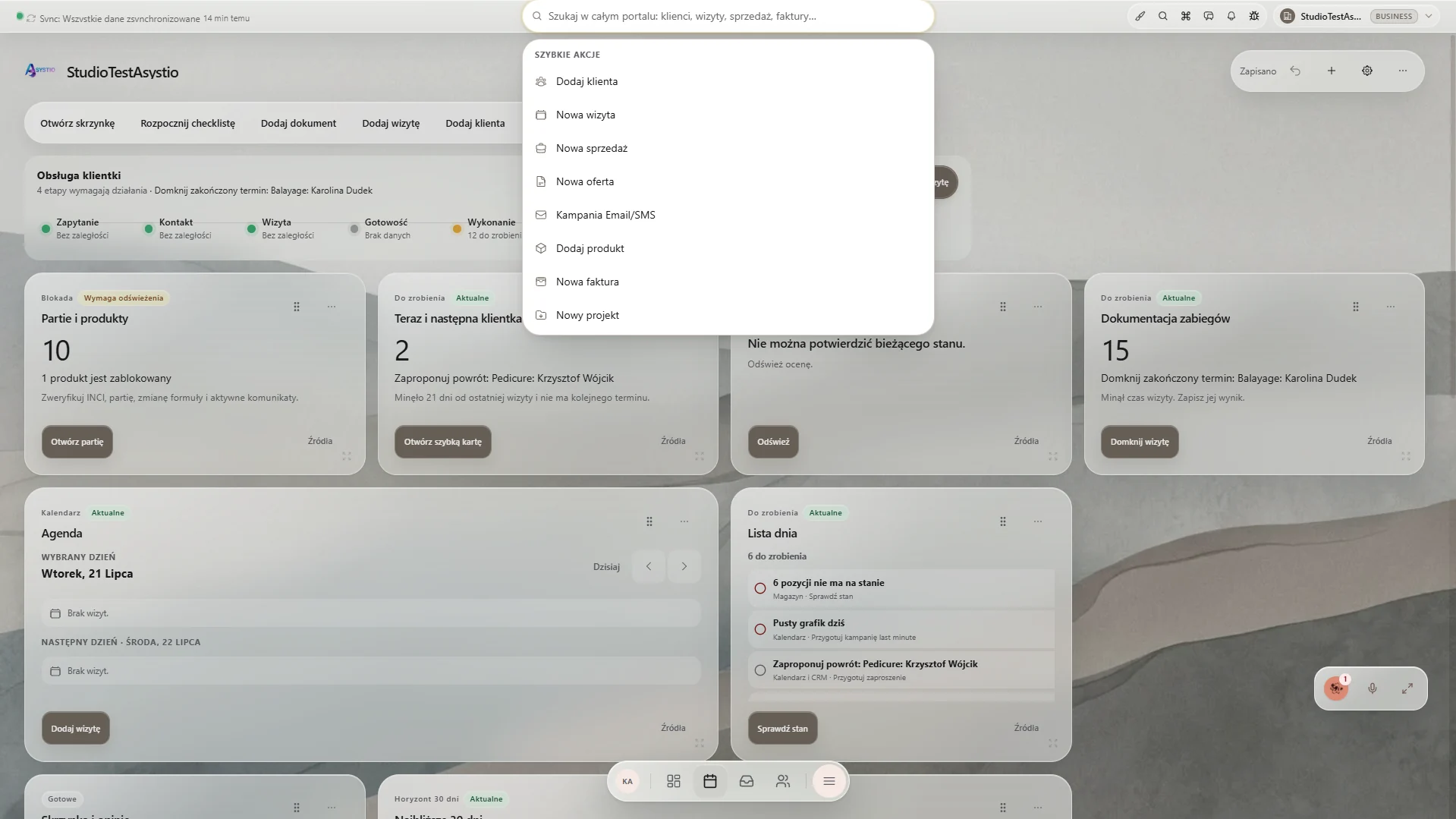
Start with an action, not a search for the right module
Shortcuts at the top of the dashboard take you straight to a new customer, appointment, document, sale or campaign.
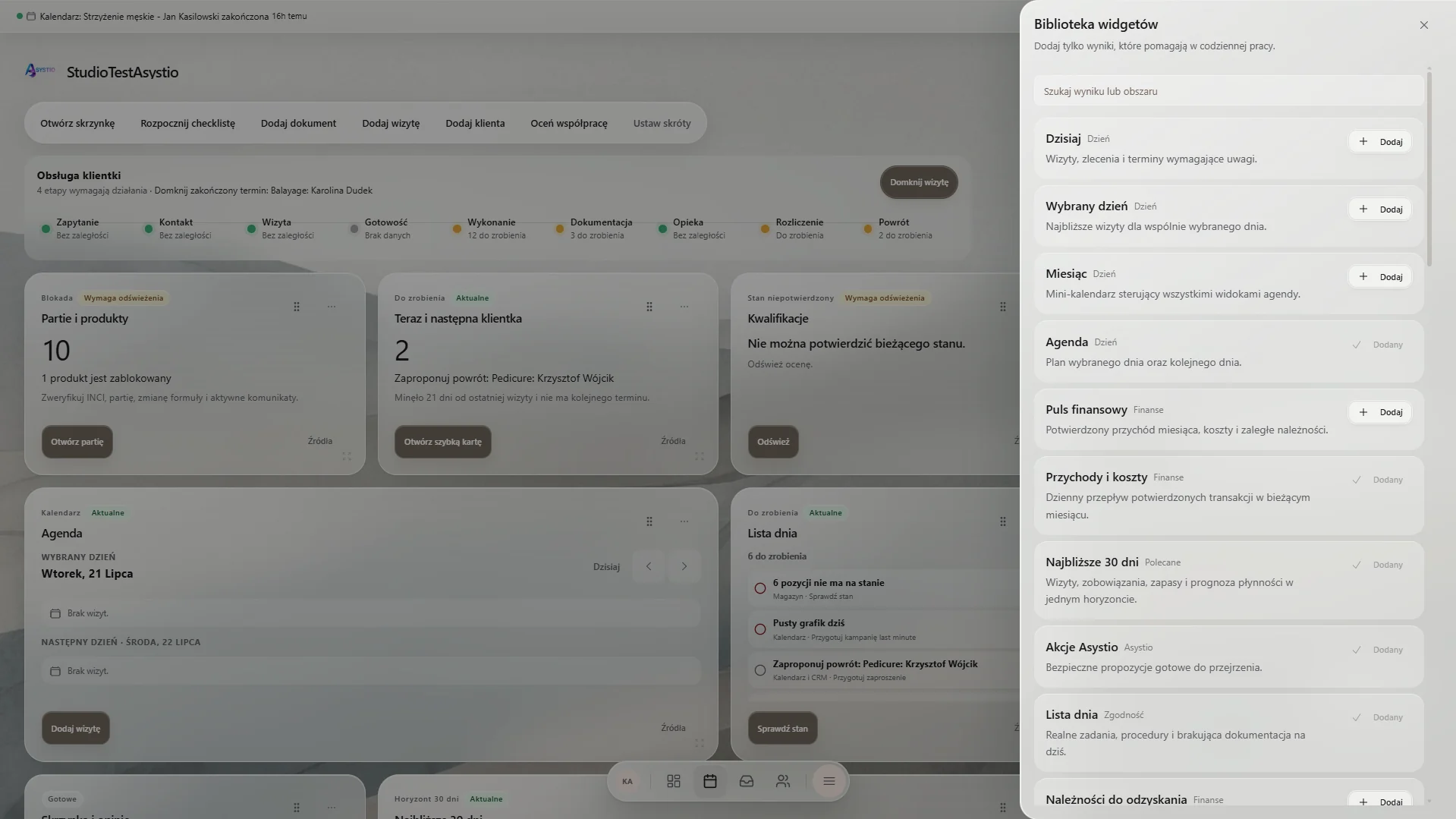
Add only what helps the business today
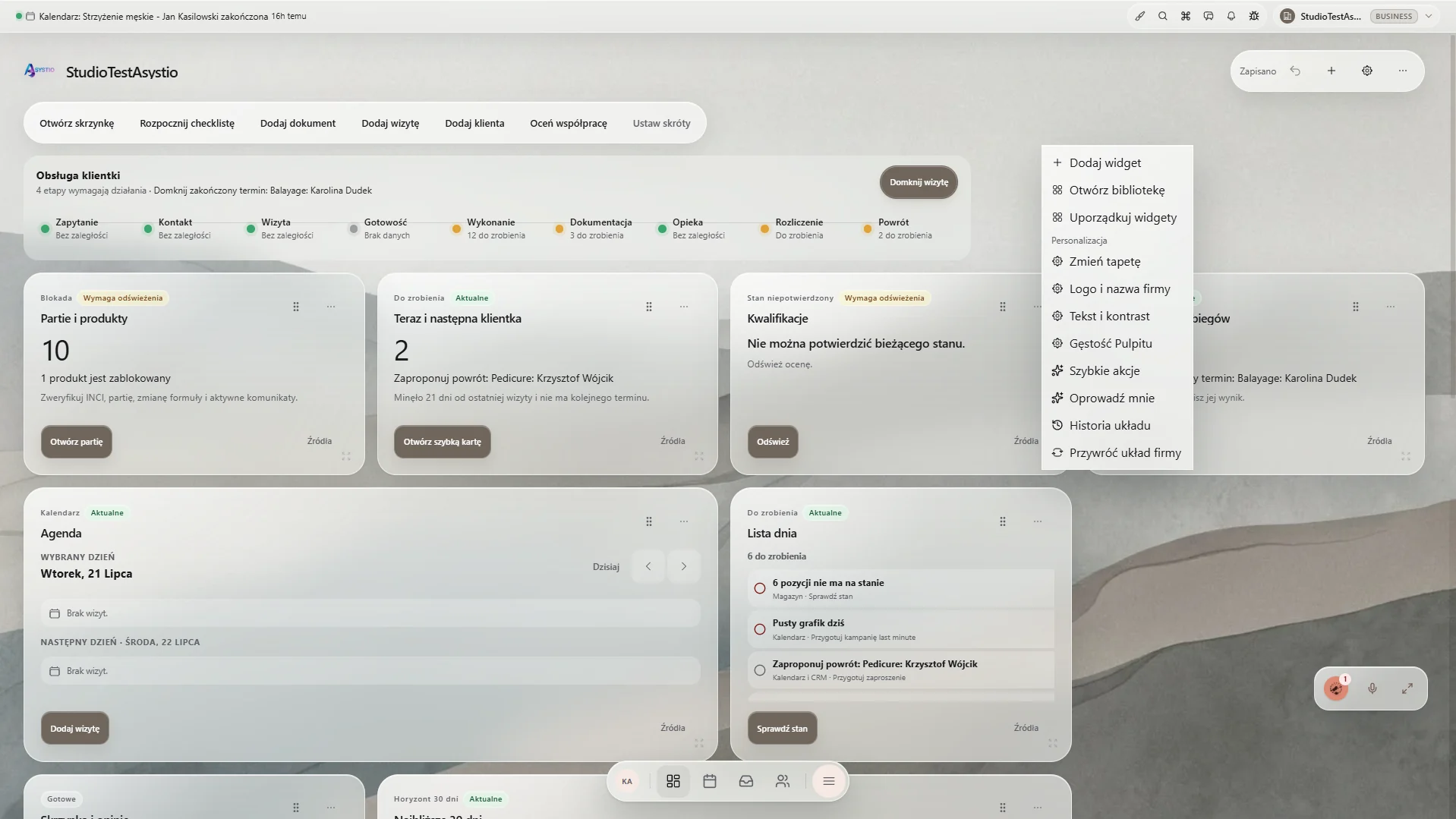
The widget library covers the working day, customers, finance, team, inventory, compliance and communication. Each view can have a different set.
The company sets its own layout and look
Reorder widgets, change the wallpaper, add a logo, set contrast and dashboard density. Restore a saved layout when needed.
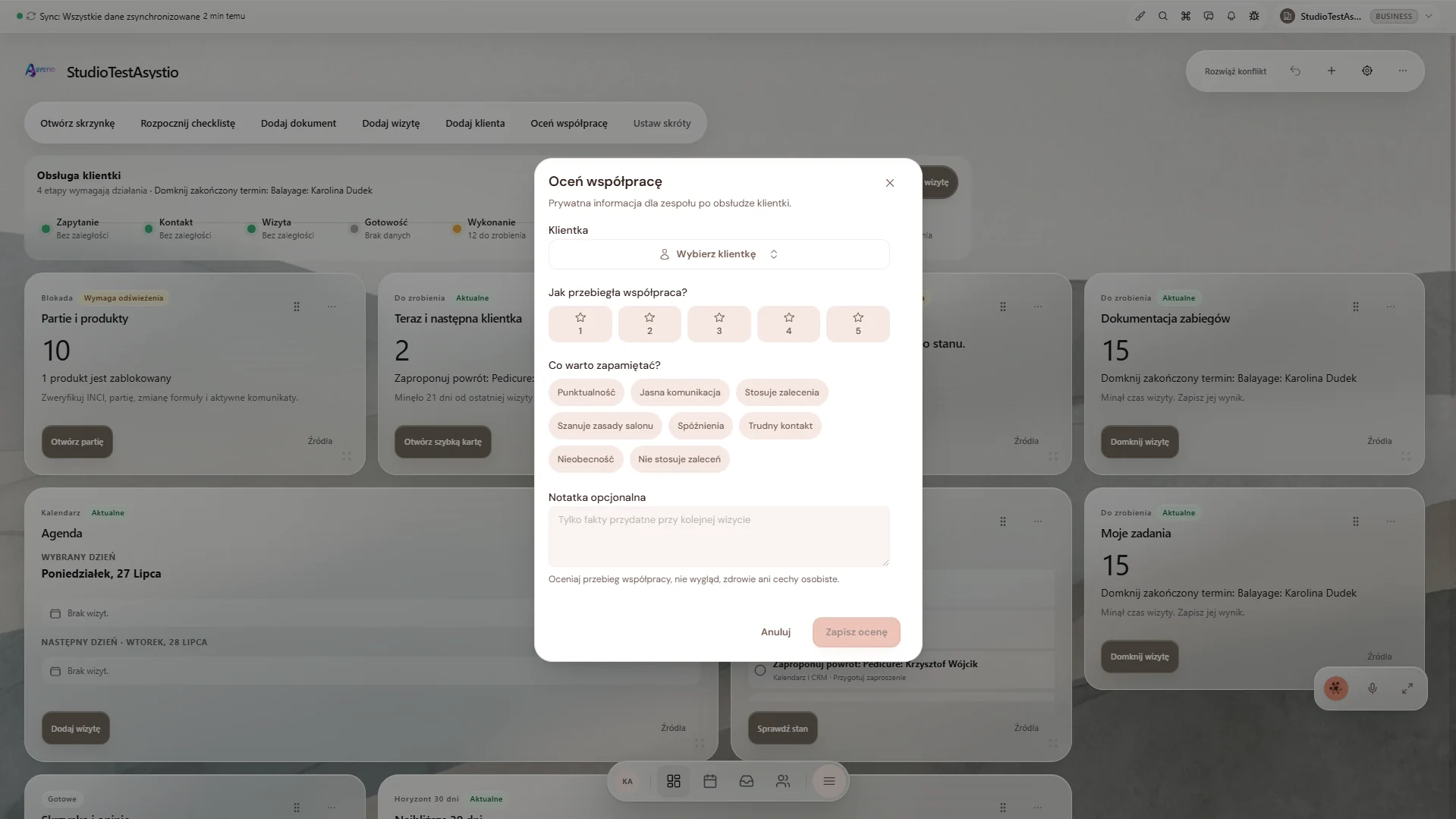
The dashboard opens the right service step
From the current day, the team can add a short collaboration rating without searching for the customer card in a separate view.
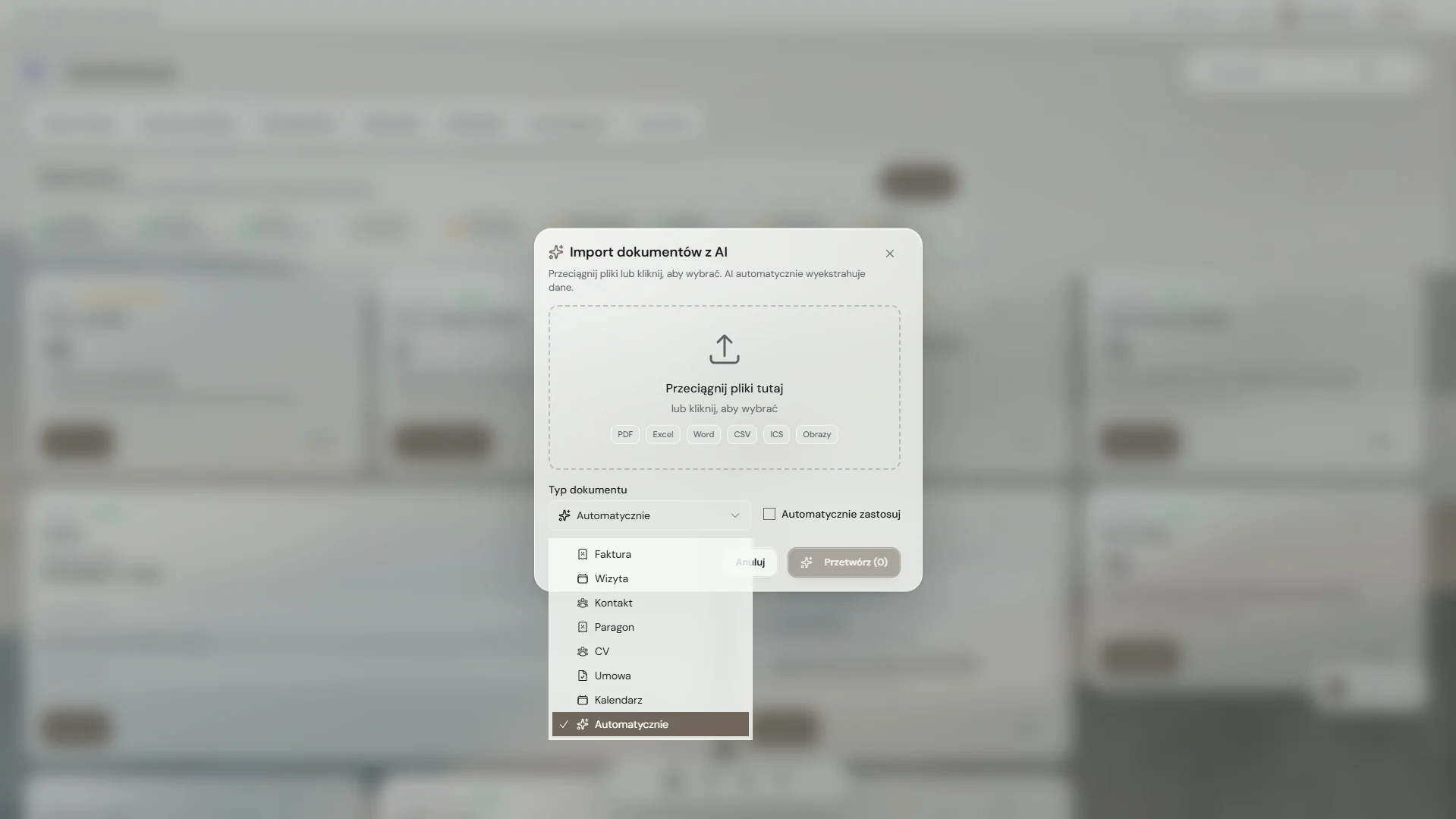
A document goes to the right process
Import recognises the file type, while the team decides whether to apply the result. The dashboard connects that step with an appointment, contact, invoice or contract.
Screen 1 of 5
What leaks today and what it costs you
The day starts with opening several apps
It costs you: The team spends time finding the right view before doing the first task.
The dashboard brings current signals from modules into one place.
Everyone sees the same dashboard despite different work
It costs you: Reception, the owner and specialist get too much irrelevant information or too little context.
The company chooses widgets, layout and level of detail around the way it works.
Changing the layout risks losing something important
It costs you: After an experiment, it is hard to return to the earlier, trusted view.
The dashboard saves the layout and lets you return to configuration history.
The dashboard organises signals, the team keeps the decision
It can point to a case that needs attention or recognise an imported document. A person always starts the action.
- Shows cases needing attention today
- Leads to the right step with customer or appointment context
- Recognises the type of an imported document
- Lets the team review the result before applying it
- Keeps a history of company layout changes
Most often viewed from the dashboard
You do not have to roll out everything at once. Start with one area and add the rest when the business is ready.
If your day starts with searching, set up the dashboard around your company.
Start with a few widgets and shortcuts. Expand the layout together with the processes your company runs.